Get the component containing a segment
agtools can extract the component that contains a given segment and output the GFA file for that component. You can use the component subcommand provided through the command-line interface. Please refer to the CLI reference for further details on the component subcommand.
Here is an example GFA file.
H   VN:Z:1.0
S   A1  ACGTAC
S   A2  CGTACG
S   A3  GTACGT
S   A4  TACGTA
S   B1  TTGCAA
S   B2  TGCAAG
S   B3  GCAAGT
L   A1  +   A2  +   5M
L   A2  +   A3  +   5M
L   A3  +   A4  +   5M
L   B1  +   B2  +   5M
L   B2  +   B3  +   5M
P   contig_A    A1+,A2+,A3+,A4+ 5M,5M,5M
P   contig_B    B1+,B2+,B3+ 5M,5M
The graph will look as follows. It has two connected components.
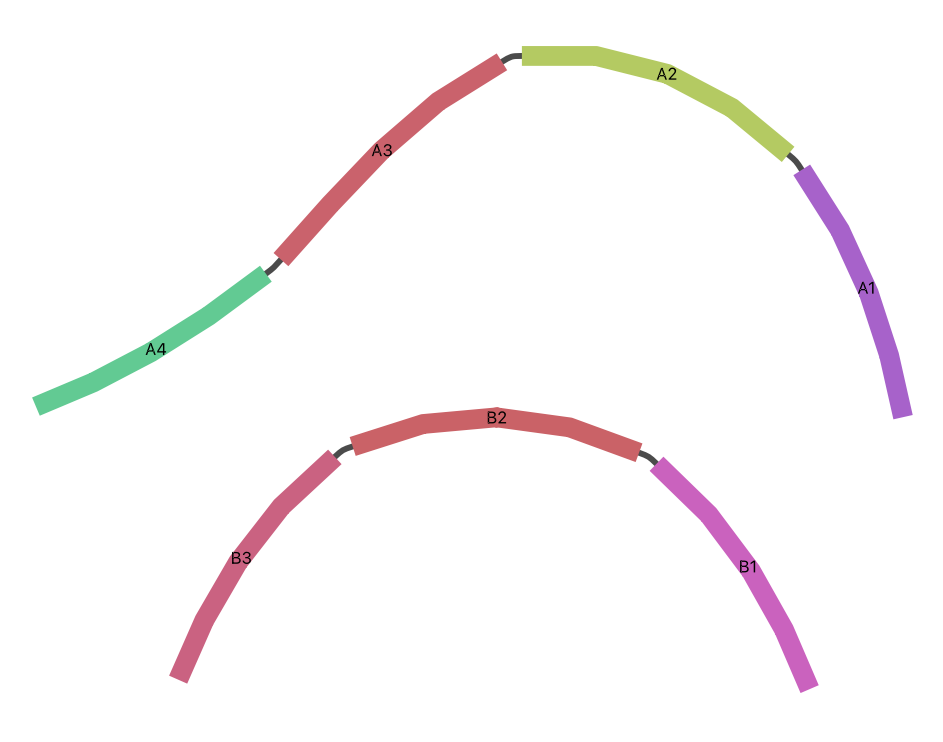
We want to extract the component containing segment A3. You can run the following command to generate the GFA file for that component.
agtools component -g test_graph.gfa -s A3 -o results/component_graph.gfa
The GFA file of the extracted component will look as shown below.
H   VN:Z:1.0
S   A1  ACGTAC
S   A2  CGTACG
S   A3  GTACGT
S   A4  TACGTA
L   A1  +   A2  +   5M
L   A2  +   A3  +   5M
L   A3  +   A4  +   5M
P   contig_A    A1+,A2+,A3+,A4+ 5M,5M,5M